This article outlines how a patient or caregiver may update their Medical Marijuana Registry account's address, e-mail address, phone number, name, date of birth, ID type or ID number, and decide if you would like to use either the patient or caregiver's email for the account.
Sections in this article:
| I can't access the email that is associated with my Medical Marijuana Registry account. |
|---|
| If you are unable to access the email inbox for the email address on you MMR account, please reach out to your physician for assistance with email address corrections. Bamboo Health Support Agents are unable to perform email address changes to Medical Marijuana Registry accounts. |
Update Address, Email, or Phone Number
- Navigate to https://www.ohiomedicalmarijuanaregistry.com/ and login.
- For login assistance please refer to article, Registrant Login Assistance.
-
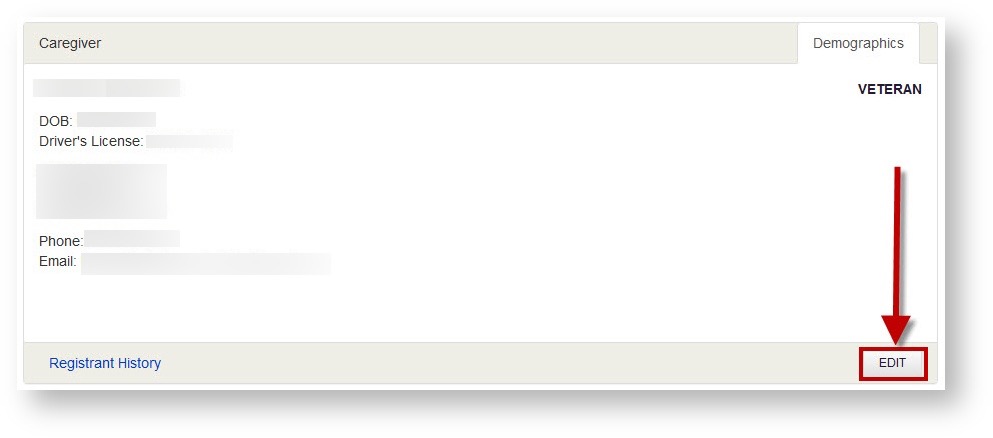
On the MMR home page, in the "Caregiver" or "Patient" section, click "EDIT".
-
Update any necessary fields with the correct information. You may input your correct address, email address, and phone number. You may also select to use the email address of the patient or caregiver to receive information regarding this account.
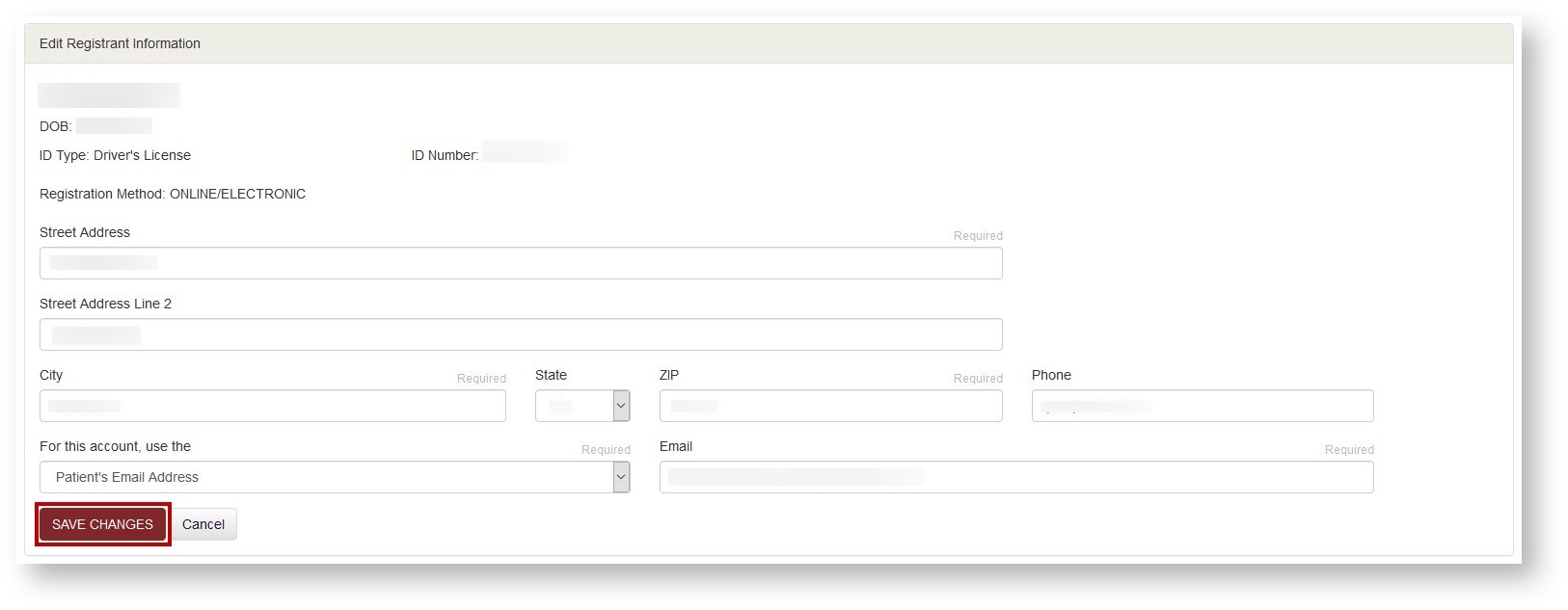
- Once you have made the necessary updates, click 'SAVE CHANGES".
Update Name, Date of Birth, ID Type, or ID Number
Information such as Name, Date of Birth, ID Type or ID Number must be updated by your physician. Please reach out to them if you require an account information update of this nature. Bamboo Health Support Agents are not able to make updates to these fields.